

How to Create an SEO Strategy in 2026
Interactive PDF Brochure Design in Hyderabad: 10 Essential Features for Modern Businesses
A company brochure no longer needs to exist only as a printed document. Businesses now share their services, products and company information through WhatsApp, email, websites and online presentations. However, simply exporting a printed brochure as a PDF does not automatically make it effective for digital reading.
Professional Interactive PDF Brochure Design in Hyderabad combines clear visual communication with practical features such as clickable navigation, enquiry links, readable layouts and properly prepared files.
For manufacturers, corporate service providers, educational institutions and other businesses, a thoughtfully designed digital brochure can make information easier to access, review and share.
In this article, Designers Studio explains ten features worth considering before creating your next digital brochure.
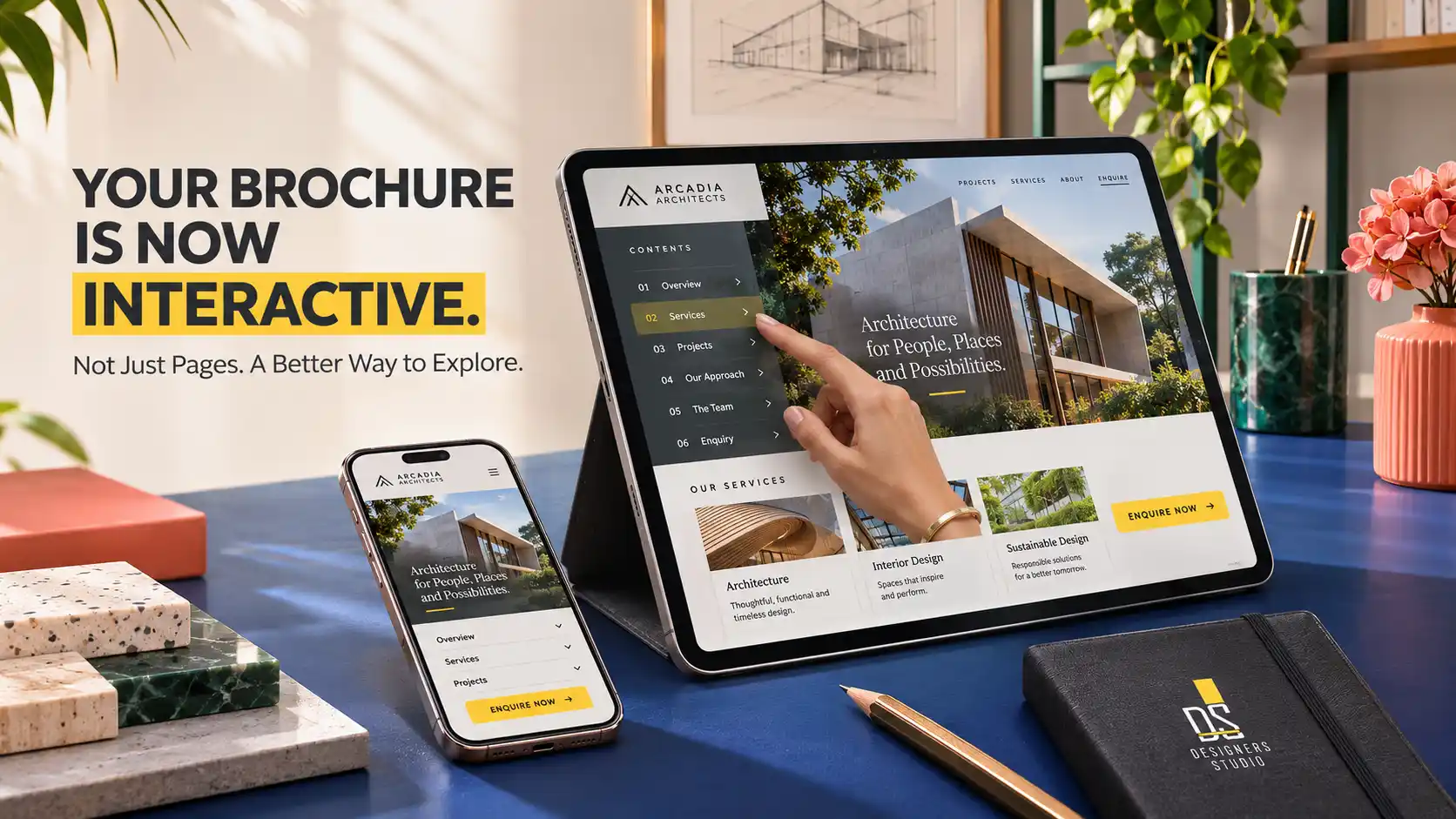
clickable navigation and direct enquiry opportunities.
What Is an Interactive PDF Brochure?
An interactive PDF brochure is a digital document containing functional elements that help readers navigate information or access related resources.
These elements may include clickable links, document bookmarks, navigation buttons, email links and connections to enquiry forms or websites.
Unlike a static image based document, a well prepared PDF can also contain selectable text and a structured reading order.
Interactive features depend on the PDF software used to create the document and the application used to open it. Not every PDF viewer supports every advanced feature.
For business brochures, simple and widely supported interactions are usually more practical than complicated animations or embedded multimedia.
Printed Brochure vs Interactive PDF Brochure
Printed brochures remain useful for exhibitions, customer meetings, showrooms and physical sales presentations.
Digital brochures are convenient when information needs to be distributed electronically or updated more frequently.
| Feature | Printed Brochure | Interactive PDF |
|---|---|---|
| Distribution | Physical handover | Email, website and messaging |
| Navigation | Manual page turning | Clickable links and bookmarks |
| Contact action | Printed contact details | Clickable phone, email and web links |
| Updating | New printing required | Updated file can be distributed |
| Reading experience | Physical page format | Depends on device and viewer |
Neither format is automatically better. The correct choice depends on the audience, distribution method and business objective.
1. Clickable Table of Contents
A digital brochure containing several sections can become difficult to navigate when readers must scroll through every page.
A clickable table of contents allows users to move directly to relevant sections.
For example, an industrial company brochure might include links to company information, manufacturing capabilities, product categories, quality systems and contact details.
Each item should lead to the appropriate location in the PDF.
Design Recommendation
Use clear section names, readable link areas and consistent typography. Test every destination before distribution.
2. Clear Page Navigation
Longer digital brochures may benefit from simple navigation controls.
These can include a return to contents link, section navigation or document bookmarks.
Navigation should help readers without occupying too much space or interfering with the content.
For shorter brochures, a clickable contents page and well organised headings may be sufficient.
Design Recommendation
Prioritise intuitive navigation over decorative controls. Avoid depending on interactive features that may not work in common PDF viewers.
3. Clickable Phone Numbers, Email Addresses and Website Links
A digital brochure can make contacting a company more convenient.
Phone numbers can use telephone links, email addresses can open an email application and website addresses can connect readers to relevant pages.
For example, a corporate brochure may link its service descriptions to corresponding website pages.
Contact links should be clearly identified and placed where readers are likely to need them.
Design Recommendation
Verify every phone number, email address and website destination. Test links on both desktop and mobile PDF viewers.
4. A Mobile Friendly Reading Experience
Many business brochures are opened on smartphones, especially when distributed through messaging applications.
A landscape document designed only for a large desktop screen may require constant zooming on a phone.
Mobile readability depends on page dimensions, typography, spacing and the amount of information presented.
Some businesses may benefit from a dedicated mobile version with a simpler layout.
Design Recommendation
Test the brochure at actual smartphone viewing size. Avoid extremely small body text and overcrowded multi column layouts.
5. Optimised PDF File Size
A brochure containing large photographs, complicated graphics and unnecessary embedded assets can become difficult to share.
File size is especially relevant when sales teams distribute brochures through email or messaging applications.
However, aggressive compression can reduce image quality and make text or diagrams difficult to read.
The objective is to balance visual quality, readability and practical distribution.
Design Recommendation
Use appropriately sized images, suitable compression and efficient export settings. Review the final PDF after optimisation.
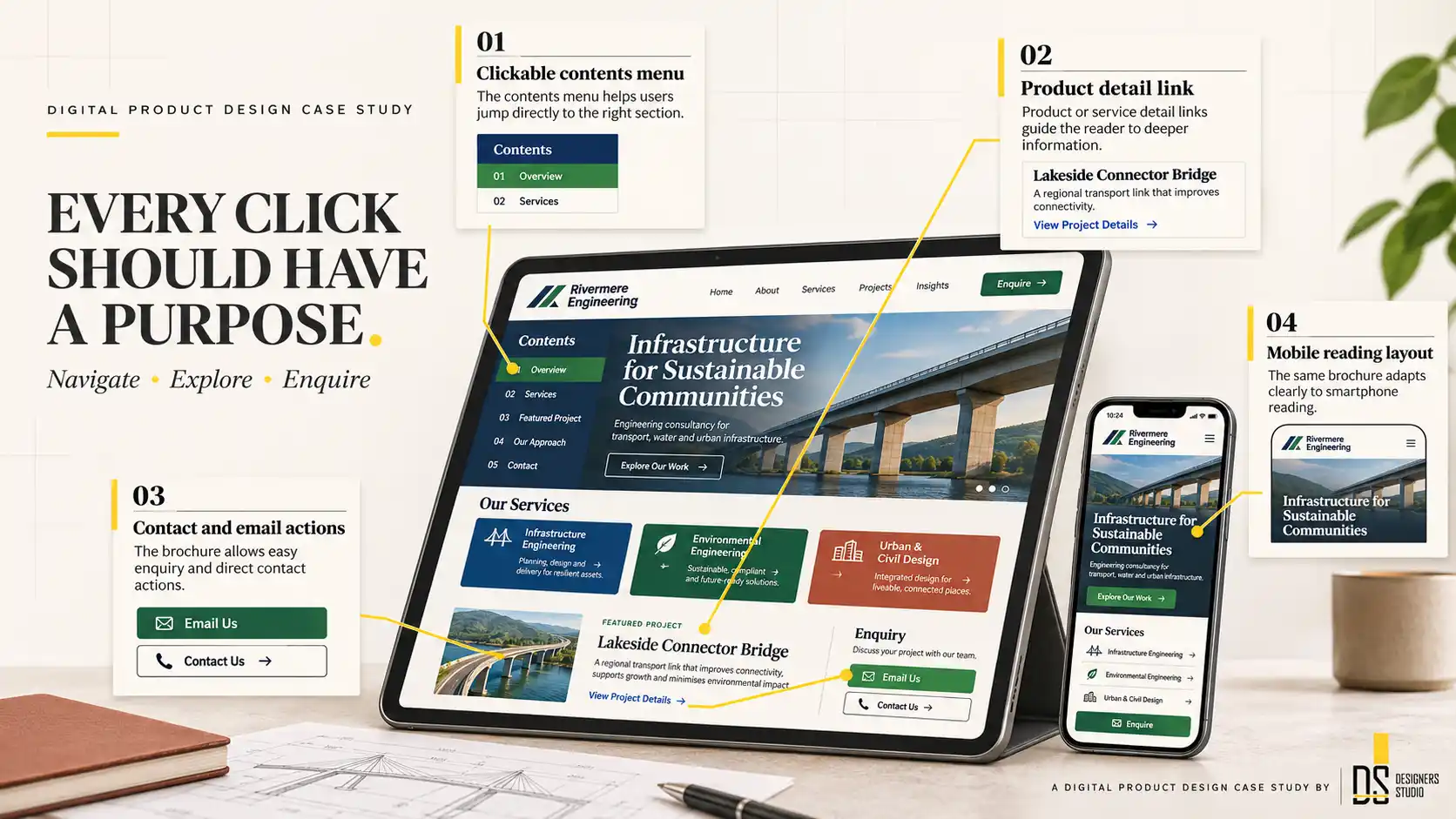
help readers use a digital brochure more efficiently.
6. Relevant Product and Service Links
A brochure does not always need to contain every detail about a product or service.
Where appropriate, readers can be directed to a website page containing current specifications, additional photographs or further information.
This approach can be useful for businesses with frequently changing product ranges.
However, the brochure should still contain enough information to make sense when viewed without an internet connection.
Design Recommendation
Use descriptive link labels such as “View Product Specifications” rather than vague instructions like “Click Here”.
7. Clear Enquiry Buttons and Calls to Action
A professional digital brochure should help interested readers understand what to do next.
The appropriate call to action depends on the purpose of the document.
Examples include requesting a quotation, scheduling a consultation, contacting a sales representative or exploring a product range.
These actions can link to relevant website pages or contact methods.
A brochure should avoid presenting too many competing actions on the same page.
Design Recommendation
Use one primary action for the brochure and relevant supporting actions where necessary. Make the clickable area large enough for comfortable use.
8. Searchable and Selectable Text
Some digital brochures are exported as pages made entirely from images.
Although these documents may look attractive, readers may be unable to select, copy or search the text.
Keeping text as actual PDF text can improve usability and make information easier to locate.
It may also support accessibility when combined with appropriate document structure.
Design Recommendation
Export text from suitable design software rather than flattening every page into a single image. Check whether the text remains selectable.
9. Accessible Document Structure
Accessibility is an important consideration for digital documents.
Depending on the project, a more accessible PDF may require logical headings, document tags, appropriate reading order, meaningful alternative text and sufficient color contrast.
Simply adding clickable buttons does not make a PDF accessible.
Accessibility requirements should be established during planning because correcting a complex document later may require additional work.
Design Recommendation
Discuss accessibility expectations before production and validate the exported document using suitable accessibility checking tools.
10. Consistent Brand Identity Across Every Page
An interactive PDF should still function as a professional brand communication document.
Typography, colors, graphic elements, logo placement and image direction should remain consistent.
Consistency does not mean repeating exactly the same layout on every page.
Different sections can use distinct compositions while following the same underlying visual system.
Professional Digital Brochure Design Hyderabad should balance visual variety with a recognisable identity.
Which Businesses Can Benefit From Interactive PDF Brochures?
Manufacturing and Industrial Companies
Digital brochures can introduce capabilities, products, technical categories and enquiry information. Links may direct readers to current product specifications.
Real Estate Businesses
Project brochures can organise verified property details, plans, amenities and enquiry information. All promotional content should be reviewed for applicable regulatory requirements.
Educational Institutions
Course brochures can include program details, admission information, course sections and links to official application pages.
Healthcare and Professional Services
Digital brochures can present available services, qualifications where relevant, appointment information and contact methods without making unsupported claims.
Corporate and B2B Service Providers
Company brochures can connect service descriptions, case studies, capabilities and enquiry links within one organised document.
How to Create an Effective Interactive PDF Brochure
Step 1: Define the Audience
Identify who will receive the brochure and which questions the document should answer.
Step 2: Organise the Content
Develop a clear sequence covering the company, relevant offerings, supporting information and contact actions.
Step 3: Establish the Visual System
Select appropriate typography, colors, page layouts, imagery and navigation conventions.
Step 4: Design the Pages
Create readable layouts that work for the intended distribution channels and viewing devices.
Step 5: Add Functional Links
Connect the contents page, section navigation, website links, contact details and enquiry actions.
Step 6: Export the PDF
Prepare the document using export settings appropriate for digital distribution, preserving required text and links.
Step 7: Test and Approve
Check the file on relevant mobile and desktop devices. Verify navigation, readability, contact links and file quality.
Common Interactive PDF Brochure Mistakes
One common mistake is exporting a print brochure without checking how it appears on smartphones.
Another is adding buttons that look interactive but do not contain functional links.
Businesses may also use large images that make the PDF unnecessarily difficult to share.
Other problems include outdated contact information, broken website links, unclear navigation and text that becomes unreadable at normal viewing sizes.
Advanced interactive effects can also cause compatibility problems in certain PDF viewers.
Finally, businesses should avoid assuming that every PDF exported from professional design software is automatically accessible.
Interactive PDF Brochure Checklist Before Sharing
- Confirm the brochure’s intended audience and purpose.
- Review the page sequence and content hierarchy.
- Check readability on common smartphone screens.
- Verify the clickable table of contents.
- Test all phone, email and website links.
- Confirm that the primary enquiry action works.
- Check whether text remains searchable and selectable.
- Review file size and image quality.
- Check document accessibility requirements.
- Test the exported PDF in more than one viewer.
- Proofread company information and contact details.
- Approve the final version before distribution.
Digital Brochure Design at Designers Studio, Hyderabad
Designers Studio provides professional brochure design and visual communication services for businesses across Hyderabad and Telangana.
Based in LB Nagar, the studio has worked in graphic design and printing since 2012, later expanding into web and digital services.
Our approach to digital brochure projects focuses on brand consistency, clear content organisation, readable layouts and practical distribution requirements.
Businesses interested in Interactive PDF Brochure Design in Hyderabad can discuss their content, preferred brochure format, navigation requirements and intended sharing channels with our team.
Explore our brochure design and printing services and graphic designing services in Hyderabad for related branding requirements.
The availability of specific interactive features and final deliverables should be confirmed in the individual project quotation.
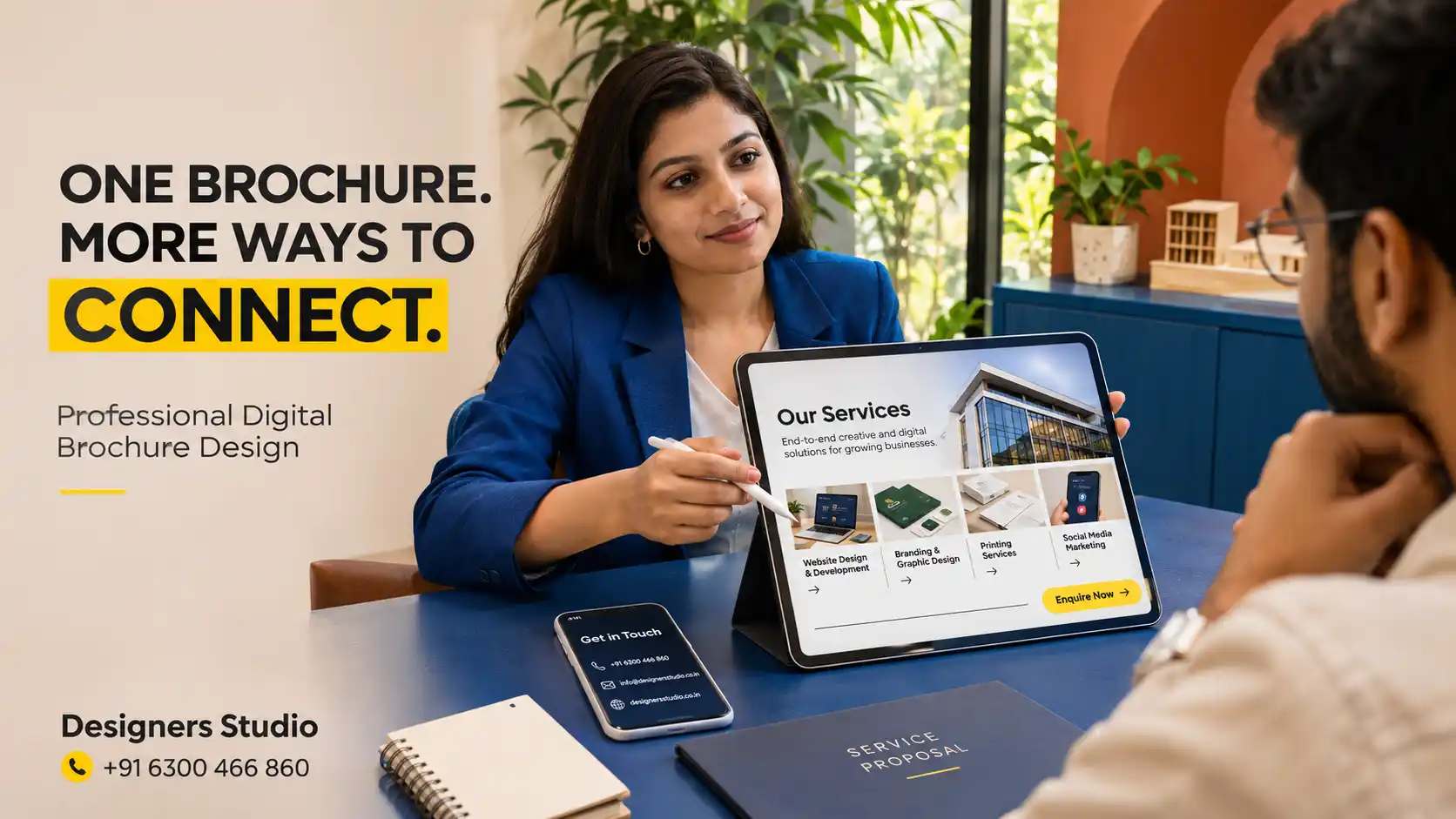
visual communication with practical customer actions.
Frequently Asked Questions
What is an interactive PDF brochure?
An interactive PDF brochure is a digital document containing functional elements such as clickable navigation, website links, email links and other supported actions that help readers access information.
Can an interactive PDF brochure be shared on WhatsApp?
Yes. PDF brochures can be shared as documents through supported messaging applications, including WhatsApp. File limits, link behaviour and the reading experience depend on the application and device.
Can a PDF brochure contain clickable phone numbers and website links?
Yes. PDF documents can include telephone, email and website links. Their behaviour should be tested in the PDF viewers used by the intended audience.
Is an interactive PDF better than a printed brochure?
Both formats have different advantages. Digital brochures are convenient for electronic distribution and clickable navigation, while printed brochures remain useful for physical meetings, exhibitions and direct customer handovers.
Does Designers Studio provide digital brochure design in Hyderabad?
Designers Studio provides professional brochure and graphic design services in Hyderabad. Businesses can contact the studio to discuss digital brochure requirements and confirm the scope of interactive PDF features.
Conclusion
An interactive PDF brochure can be more than a digital copy of a printed document.
With clear navigation, readable layouts, useful links, appropriate file optimisation and consistent branding, it can help customers explore business information more conveniently.
Professional Interactive PDF Brochure Design in Hyderabad should prioritise practical usability rather than adding unnecessary interactive effects.
Designers Studio supports businesses across Hyderabad and Telangana with professional brochure design and visual communication services developed around their individual requirements.
YOUR BROCHURE SHOULD BE EASY TO OPEN, EXPLORE AND ACT ON.
Discuss a professional digital brochure that presents your business clearly and makes the next step easier for interested customers.
Designers Studio
LB Nagar, Hyderabad
Phone: +91 6300 466 860
Email: info@designersstudio.co.in
